 KORT
KORTCoins, shop, gifts and your own avatar
In KORT, coins are spent only on looks and gifts: they don't affect the game itself. Here's everything about how to get them, what's in the shop and how to throw gifts at the table.
Two kinds of coins#
| Coins | Where from | Spend | Gift |
|---|---|---|---|
| Purchased | Bought in the App Store | Yes | Yes |
| Earned | Season prizes, gifts from friends, credits from KORT, and since version 1.2.6, ads and refunds for your own avatar | Yes | No |
In the shop, earned coins are spent first, then purchased ones. Under your balance there's a “giftable: N” line: those are your purchased coins. The “History” link next to the balance shows your last 100 coin transactions.
How to get coins#
Buy them on iPhone#
Packs of 850, 2,000 and 7,500 coins. The price is shown in the App Store in your country's currency. You can buy them in the “Coins” window, which opens with the “+” button in the balance row.
- You can't buy coins on Android. But coins bought on iPhone show up on Android if you sign in to the same account with Telegram.
- If the payment went through but the coins didn't arrive, check that you're signed in and online. The coins will be added automatically. Don't delete the game: the App Store will return an unconfirmed purchase to the game the next time you launch it.
- If you get a refund for coins through Apple, those coins are taken back. If your balance goes negative, purchases and gifts are paused for a while.
Season prizes#
The top 100 places on the leaderboard get coins at the end of every month: 20,000 for 1st place, 15,000 for 2nd, 10,000 for 3rd, and so on down to 1,000 coins for places 51–100. More in the “Ranked games and cups” section.
Ads#
Since version 1.2.6, you can watch an ad video for +10 coins. The Watch an ad button is in the “Coins” window, which opens with the “+” button in the balance row, on both iPhone and Android.
- Up to 20 videos a day (24 hours from the first view), no more than once every 25 seconds.
- A video is shown only after you tap this button.
- If there are no videos right now, the game will tell you: try later. If ads won't load or the coins weren't added, see the “Help” section.
A gift from a friend#
A friend can gift you their purchased coins. For you, they become earned coins: you can spend them but can't re-gift them.
Gifting coins to a friend#
The “Friends” tab → Gift next to a friend. There are quick amounts of 50, 100, 500 and 1,000. On Android, the “Gift” button appears only if you have at least 10 purchased coins (bought on iPhone with the same account).
- You can gift only to friends, and your friend must also be signed in with Apple or Telegram.
- Only purchased coins, at least 10.
- No more than 10,000 coins a day (24 hours).
- Your friend will see a window “{nickname} sent you N coins!” and get a notification.
Shop#
The shop is in your profile, on the Shop tab, or behind the chest button in the main menu. New items appear without an app update. Tap an item to try it on in a preview of your seat at the table.
| Category | What it is |
|---|---|
| Plates | The name plate under your avatar, with its own nickname color |
| Aura | A glow around your avatar |
| Badges | A badge on your avatar's shoulder: flags, signet rings, watches and more |
| Glasses | Glasses on your avatar, more than twenty styles |
| Card backs | The card back design for the whole table while you hold the trump |
| Table cloth | The table cover: at the start of your round with the trump, it rolls out across the table |
| Exclusive | Animated animal companions next to your avatar, limited edition |
| Gifts | Packs of gifts you throw at players at the table |
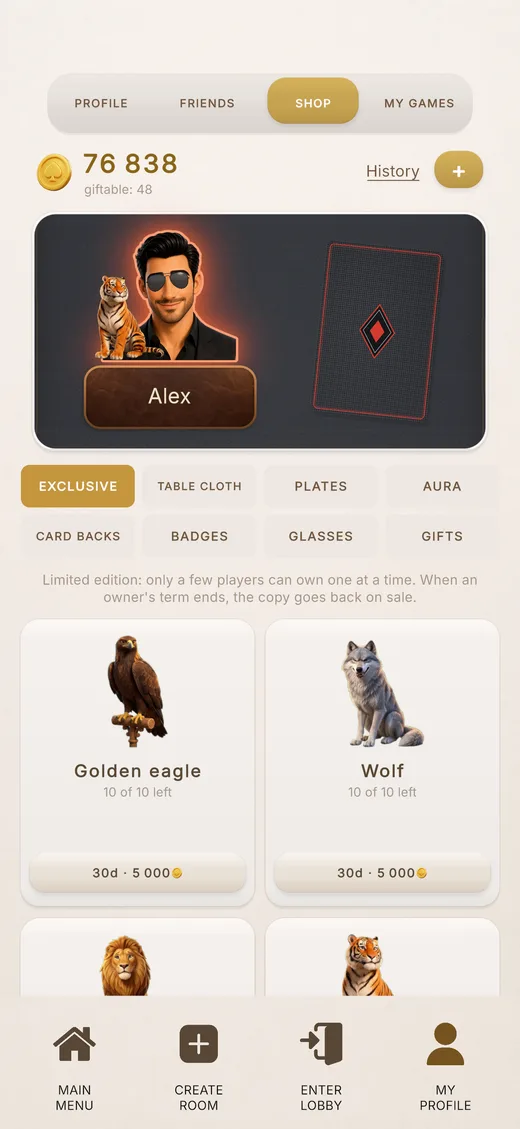
Everyone at the table sees your items. You can equip one item per category. A badge and a companion sit on the same side of the avatar, so you can't equip both at once.
How long items last#
- Items are bought for a period of time, usually 7 or 30 days. During promotions the terms can be longer.
- Buy the same item again and its term is extended.
- A purchased item is equipped automatically if nothing is equipped in that category. To switch, use Equip or Take off.
- When the term ends, the item is simply taken off; the game doesn't warn you in advance. You can buy it again.
- An item that's no longer on sale is still visible on players who still have it.
| Category | 7 days | 30 days |
|---|---|---|
| Plates, aura, glasses | 300 | 900 |
| Badges | 200–400 | 600–1200 |
| Card backs | 150–800 | 450–2400 |
| Table cloth | 300–1000 | 900–3000 |
Prices in coins as of late October 2026, for the standard term. Exact prices and terms are in the in-game shop.
Exclusive#
Exclusive items are released in limited editions: only a few players can own such an item at the same time. The item card shows “N of M left”. When they're all taken, it shows a “SOLD” stamp and how long until a copy frees up: when an owner's term ends, the item goes back on sale. You can extend your own exclusive without waiting in line when less than 30 days of its term are left.
Gifts at the table#
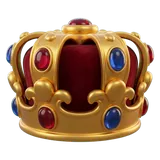
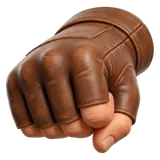
Gifts are items you throw at a player at the table. The gift flies to their name plate, plays an effect for a few seconds, and then stays as a small icon in a row under the name plate. Everyone at the table sees it, spectators included. Gifts are sold only in packs (bigger packs during promotions) and don't expire: they stay with you until you throw them.

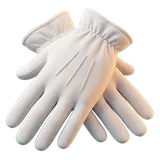
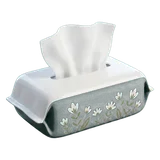





| Gift | Pack ×5 | Pack ×10 |
|---|---|---|
| Cup of coffee, applause, fire, respect | 90 | 160 |
| Flowers, tissues | 140 | 240 |
| White gloves, trophy, pillow | 180 | 320 |
| Crown | 220 | 400 |
How to throw one#
- At the table, tap a player's avatar.
- The player card shows “What to throw at {nickname}?” and a row of your gifts.
- Choose a gift: it flies off, and one is used up from the pack.
- You can throw at any time, both in the waiting room and during the game.
- Only a player in their seat can throw, not a spectator. You can't throw at yourself.
- No more than once every 3 seconds and no more than 60 throws an hour.
Your own avatar from a selfie#
Since version 1.2.6, you can get a KORT-style avatar drawn from your photo: “My profile” → the “Profile” tab → tap your avatar → the + Mine tile → Take a selfie.
- Take a selfie with the front camera: phone at face level, good light, no sunglasses. You can't upload a photo from your gallery, only the camera works.
- Tap Snap. Don't like the photo? Tap Retake, it's free. Like it? Tap Send. A drawing costs 1,000 coins and usually takes 1–2 minutes. You can close the window: the finished versions will wait for you in your profile.
- You get 3 versions and pick one. Everyone will see it at the table and on the leaderboard.
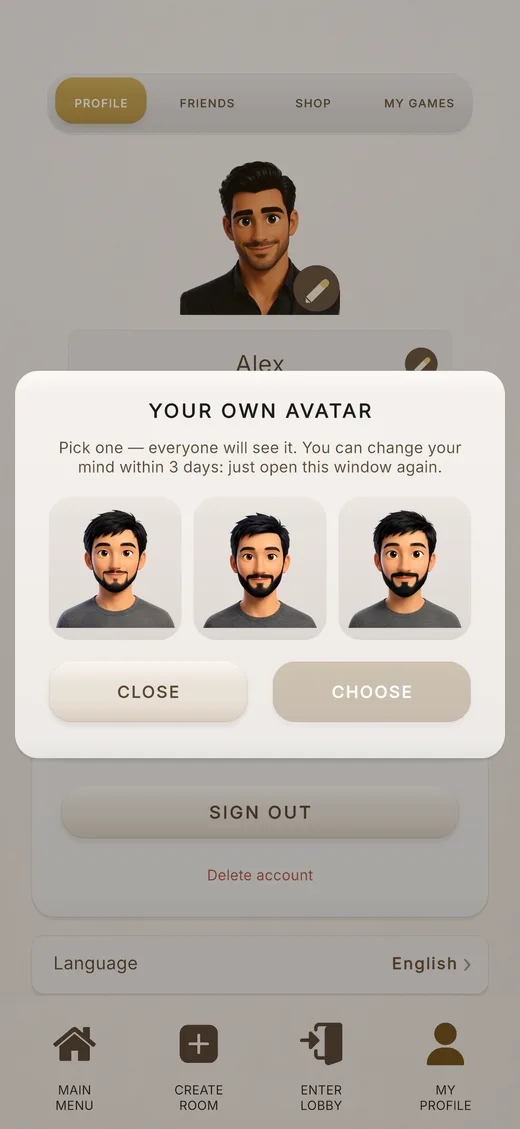
- You can change your mind within 3 days after sending the selfie: open the window again and pick another version from the same drawing. It's free. If you don't pick anything within 3 days, the versions disappear and the coins are not refunded.
- A new drawing costs another 1,000 coins. Only one drawing can be in progress at a time. How to start a new one when you already have versions is explained in the “Help” section.
- Coins are refunded automatically if no face can be seen in the photo, or the drawing failed or got stuck for more than an hour. If something went wrong, see “Help”.
- Up to 10 of your own avatars are kept. They're available on any phone after you sign in to your account.
- The photo is used only for the drawing. Other players never see it, and it's deleted after the drawing, within a day at the latest.
- If you pick a standard avatar, your own one is no longer shown but stays in the list. You can't delete your own avatar manually.
- Glasses from the shop appear on your own avatar only if the eyes could be found in the drawing. Otherwise your own avatar is shown without glasses.